Relying on a single income stream as a digital artist is like drawing with only one brush. It works, but you’re limiting what you can create.
Why One Income Stream Is Risky (and Boring)
Instead, think of your art business like a layered PSD file—each income stream is a new layer that builds depth and stability.
In this hands-on guide, you’ll:
- Map out 7 practical revenue streams
- Get concrete platform + software suggestions
- See simple workflows you can actually follow
You don’t need to do all seven. Treat them like menu items and pick what excites you.
Visual Framework: The Income Layer Cake
Draw a cake with 3–4 layers. Label each with a type of income:
- Layer 1: Fast, Simple Income (small designs, emotes, printables)
- Layer 2: Medium Projects (bundles, prints, mid-tier commissions)
- Layer 3: Deep Work (big commissions, licensing, courses)
- Frosting: Tips & Donations (Ko-fi, Patreon extra support)
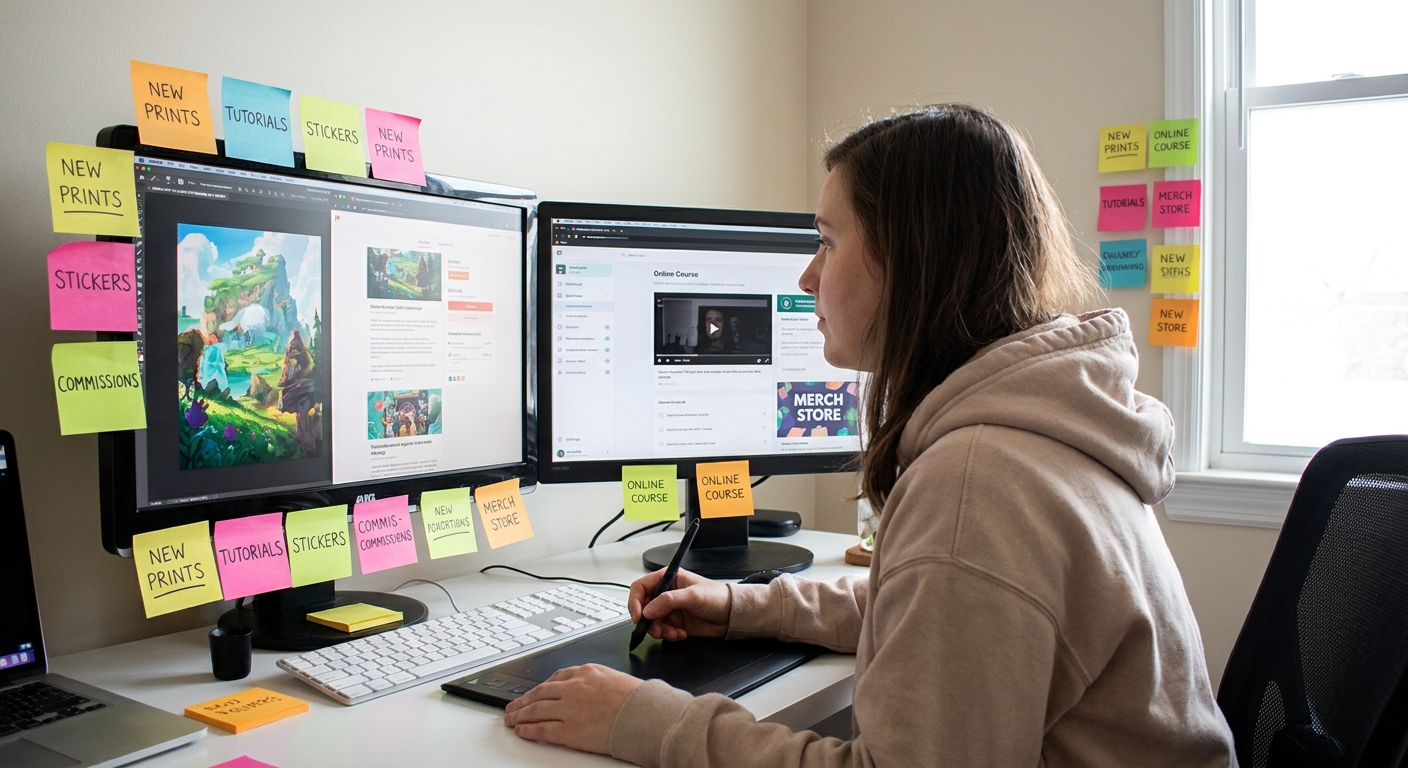
Put these seven revenue streams wherever they feel right on your cake. This becomes your roadmap.
Stream 1: Printable Art & Posters
What It Is
You create high-res art that customers print themselves—no shipping, no stock.
Tools & Settings
- Software: Procreate, Photoshop, Clip Studio
- Canvas:
- Size: A4 or A3 (easier for international customers)
- A4: 2480×3508 px, 300 DPI
- A3: 3508×4961 px, 300 DPI
- Color Profile: sRGB
Workflow
- Sketch in a rough 10–20% opacity pencil brush.
- Refine with an inking brush (stabilization 15–20).
- Add flat colors on separate layer.
- Add texture with a soft textured brush at 40–60% opacity.
- Export as JPG (print) + smaller JPG (preview).
Where to Sell
- Etsy, Gumroad, Ko-fi shop, your own site
Tip: Include 2–3 ratios in one product (A4, 8×10, 5×7) to increase perceived value.
Stream 2: Emotes, Badges & Icons
What It Is
Tiny, expressive art used on Twitch, Discord, YouTube, and games.
Canvas & Brush Recipe
- Canvas: 500×500 px at 300 DPI (master size)
- Export at: 112 px, 56 px, 28 px
- Brush:
- Hard round or inking brush
- Size: 10–20 px on 500×500 canvas
- Stabilization: 20–40 (for clean curves)
Workflow
- Make big shapes first—squint to ensure it’s readable.
- Use thick outlines and high contrast.
- Test at 25% zoom frequently.
- Export PNG with transparent background.
Where to Sell
- Commission-based: Twitter, Instagram, Discord servers
- Pre-made packs: Etsy, Gumroad, Itch.io
Experiment Task:
Design a 3-emote pack around a theme (cats, coffee, frogs). Offer it as your first low-priced product ($5–$12).
Stream 3: Brush Packs & Texture Kits
What It Is
Sell the actual tools you use—custom brushes, textures, and stamps.
Creating a Brush Pack (Procreate Example)
Duplicate your favorite brush and tweak:
- Grain → import your own texture (scan ink splatter, paper, etc.) - Shape → adjust rotation jitter 5–15% - Dynamics → tweak opacity jitter 0–10% 2. Create 5–10 variations: line, shading, texture, foliage, clouds. 3. Name them clearly: Rin_Inker_Smooth, Rin_Shader_Gritty. 4. Test by painting a small illustration using only those brushes. 5. Export brush set: Share → Procreate Brush Set.
Where to Sell
- Gumroad, Ko-fi, ArtStation Marketplace, Cubebrush
Pro Tip: Include a mini PDF showing how you use each brush—this increases conversions.
Stream 4: Commissions (Without Chaos)
What It Is
Custom art for clients: portraits, game assets, VTuber models, book covers, etc.
Simple Commission Tier Structure
Create 3 tiers:
Sketch / Bust – fastest, cheapest
Half-body Color – balance of time and value
Full Illustration – most time, highest price
Brush & File Workflow for Commissions
- Work larger than final delivery (e.g., 4000×4000 px, 300 DPI)
- Use Adjustment Layers (Photoshop/Clip Studio) and Clipping Masks (Procreate) to allow easy edits.
- Keep layers grouped:
Line,Base Colors,Shadows,Effects.
Must-Have Info Sheet
Create a one-page image that shows:
- What you draw / don’t draw
- Pricing tiers
- Rough turnaround time
- Contact method
Post this on platforms where your ideal clients hang out.
Stream 5: Courses, Workshops & Live Classes
What It Is
Teach what you already know—style, process, software tricks.
Starter Class Idea
Pick a narrow, practical topic, like:
- "Painting Cozy Windows in Procreate"
- "How I Design Twitch Emotes from Sketch to Export"
Structure Your Class
- Intro (5–10 min): Show final art and tools used.
- Sketching (15–20 min): Real-time or sped up with commentary.
- Line & Color (20–30 min): Focus on decisions, not every stroke.
- Export & Delivery (10–15 min): Show your exact export settings.
Record with:
- OBS Studio (free) or ScreenFlow / Camtasia
- Voice recorded with any decent USB mic
- Gumroad, Skillshare, Udemy, or your own site
Sell via:
Bonus: Include your brushes as a downloadable bonus to increase perceived value.
Stream 6: Asset Packs for Creators & Devs
What It Is
Pre-made assets people can use in games, videos, or designs: UI elements, icons, tilesets, backgrounds.
Example: Game Asset Pack (2D)
- Software: Aseprite, Photoshop, Clip Studio
- Canvas:
- Tiles: 16×16 or 32×32 px
- Backgrounds: 1920×1080 or 3840×2160 px
Workflow
- Pick a clear theme: "Cyberpunk Icons", "Forest Tiles", "Cozy UI Kit".
Design a style guide page first:
- Color palette (6–10 colors) - Line thickness rules - Corner radiuses (sharp vs rounded) 3. Create 20–50 assets using the same style rules. 4. Export as PNG spritesheets + individual PNGs.
Sell on:
- Itch.io, Unity Asset Store, Gumroad, Ko-fi
Stream 7: Licensing & Print-on-Demand Partnerships
What It Is
You license your designs to brands or print-on-demand services to put on products like apparel, home decor, or stationery.
Step-by-Step Starter Path
- Create a series of 6–12 cohesive designs (same palette/theme).
- Make clean, high-res PNGs (at least 5000 px on the longest side).
- Upload to platforms like Redbubble, Society6, or Displate.
Use their built-in mockup tools to test how your art looks on:
- Shirts, mugs, pillows, phone cases 5. Study which products look best with your style and focus there.
Software Tips
- Use smart objects in Photoshop to auto-update multiple mockups.
- Save a "Mockup" PSD file with layers for shirt, notebook, etc.
Long term, you can approach brands or stationery companies with a portfolio PDF of your patterns and illustrations.
Choosing Your First Two Streams (Hands-On Exercise)
- Draw a 2×2 grid.
- Top axis: "Fun for Me" (Low → High).
- Side axis: "Income Potential" (Low → High).
- Place each of the 7 streams where you feel they belong.
- Circle two that land in "High Fun / Medium+ Income".
Start there. You can always layer on more later.
Systems, Not Hustle: Making It Sustainable
To keep your art business fun:
- Batch similar tasks: one day for drawing, one for exporting, one for uploads.
- Make template files:
- Export presets
- Listing descriptions with fill-in-the-blank sections
- Reusable mockup layouts
- Keep a running idea list in Notion, Google Docs, or a sketchbook.
Remember: you’re building an ecosystem where your creativity has multiple paths to pay you back.
Pick one revenue stream. Set a tiny goal: ship one product in the next 7 days.
Treat it like a sketch, not a masterpiece—and learn from what the market draws back in response.